
Localhost without the setup headache
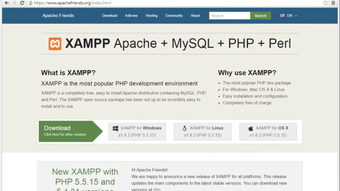
XAMPP by Apache Friends provides a local web server environment for development and testing, bundling Apache, MariaDB, PHP, and Perl into a single package. The software lets developers run a localhost site, manage databases through phpMyAdmin, and control services from a central Control Panel. It targets web developers, students, and engineers who need an easy-to-install development stack.
Top Recommended Alternative
A shortcut for PHP testing
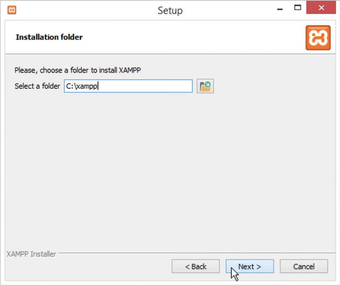
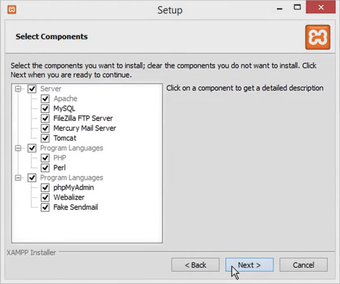
XAMPP creates a ready-made local server so developers do not need to install Apache, MariaDB, PHP, and Perl separately. The one-click installation simplifies environment setup and reduces manual configuration. That arrangement suits testing CMS projects like WordPress locally, since the stack includes the database engine and PHP support needed to run themes, plugins, and server-side scripts.
The control room for localhost
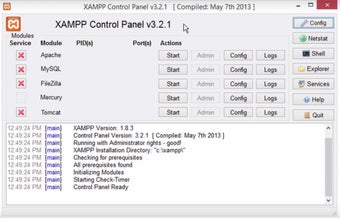
The software includes a Control Panel to start and stop Apache, MariaDB, and other available services, while phpMyAdmin handles database administration through a browser. These elements allow developers to iterate on PHP code, reload pages on localhost, and modify database schemas without switching between separate tools. Bundled extras can vary by platform, so users need to check the included components for their version.
Great for class, risky for launch day
XAMPP is configured for local testing rather than public deployment. Its default settings prioritize ease of use over hardening, so the package is not suitable for exposing services to the internet without manual security changes. For classroom labs and individual development, the convenient setup supports common learning tasks and integration testing without forcing users to build a full server stack from scratch.
Ports, passwords, and other tiny gremlins
Administrators and advanced users need to perform manual hardening before any external exposure, and they also need to manage service ports to avoid conflicts with other local servers. The inclusion of phpMyAdmin and MariaDB covers most MySQL-compatible workflows, but teams that require formal access controls or hardened remote services need configuration beyond the default XAMPP setup.
Best kept on the dev bench
XAMPP is a practical option for developers and students who need a packaged PHP development environment for local database testing. Its all-in-one approach reduces setup time, while the Control Panel keeps core services easy to manage. Its biggest limitation is security: use it for local development and testing, not as a public server without explicit hardening.
What People Are Saying
- The Good
Users say XAMPP installs quickly and gets Apache, MySQL and PHP running together with almost no effort. They value that it is free, works across operating systems, and starts or stops services with one click, making it a dependable local testing server.
- The Bad
The control panel looks dated. Some report Apache failing or the app crashing until restarted. Running several PHP versions is awkward, and advanced configuration and troubleshooting can frustrate beginners.
- The Bottom Line
Worth downloading for web developers and students who want a free, simple local server, though complex setups may outgrow it.